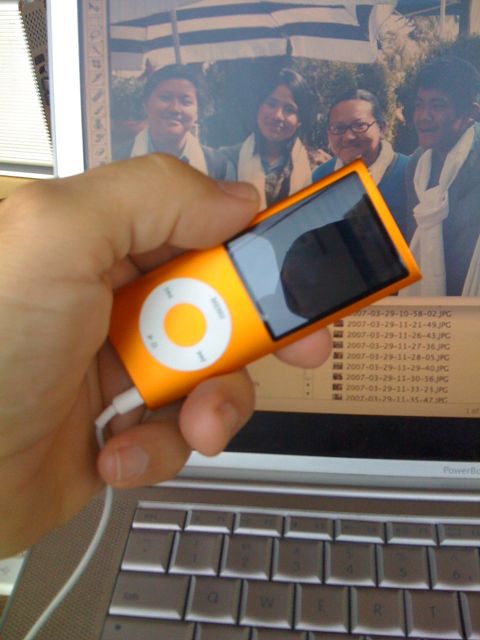
Looks like there’ll be a Blackberry with a touchscreen interface soon. Maybe they’re just trying to cash in on the popularity of the iPhone, with its touchscreen interface (meaning that you type on a touch-screen rather than on a real keyboard), but I think there’s something more somatically fundamental in the appeal of touchscreen typing. The tiny Blackberry keyboards, which are like toys as I see it, still keep you one-level-removed from what you’re typing – there is this clunky bunch of electro-mechanical keys between you and your words. The touchscreen, on the other hand (“hand”, LOL!) means “your hand is a component of the keyboard.” You aren’t just poking at little mechanical devices, your fleshy round finger becomes a part of the “keyboard” on the touchscreen. And the way Apple has implemented the keyboard, if you touch and then roll the tip of your finger around, you can actually roll from one key to another until you get the one you intended to press, then lift your finger and your choice is made. Think about that, your hand IS the keyboard on a touchscreen!
Twitter made me (not) do it
It’s been a whole month since I wrote anything in my blog? What happened? (Or rather, what did not happen?)
Well, let’s just blame it on Twitter. Or on the new iPhone. Or on two clients wanting 70-hour weeks from me all month. Or on processing 4 hours of teacher training videos.
Nah, let’s just blame it on Twitter.
Twitter seems to have taken a big bite out of my blogging energy lately.
I primarily use Twitteriffic on my iPhone to both follow and to create new tweets, but I also love Twitterfox (a plug-in for the FIreFox browser) if I’m at a computer (it just pops up a little panel showing the most recents, and lets me quickly twipe a new tweet whenever I feel the need.
But why do I even bother with Twitter? – because I get stoked with a dozen new ideas every day! In the old days, “kids” used Twitter to vacuously and narcissistically communicate “I’m having breakfast” or “I’m on the bus” or “I’m at the coffee shop.” But somehow a large number of busy people realized that not only was this a waste of a good communication medium, but something better could actually be done with it – and now what we do is communicate concepts, places, activities and ideas of interest to our group. Someone might be experiencing writer’s block and need inspiration and put out a call for help that explains the concept she’s working on, and get back a half dozen interesting tangential ideas! Another might have returned from a trip and posted photos – and will put up a tweet pointing to the photos. Someone else will be at a conference and will tweet about each speaker’s primary concept.
You have to carefully pick who you “follow” (whose tweets you subscribe to) on Twitter, but once you have your list tuned well, you have constructed a channel that lets you really stay in touch with the ideas and activities that will surface as blog posts and news in the next 24 to 48 hours. And you get a real boost from knowing what your friends and colleagues are working on and thinking about.
Let’s be Clear About This – Lots more Laptops will be Stolen
The Clear program at San Francisco International Airport (SFO) has suffered an almost-predictable blow – a stolen laptop computer containing confidential records.
Clear is the program that pre-screens travelers, collects biometric data, puts this on a smart-card (embedded processor+memory, not RFID) and then allows travelers at a few high-traffic airports to go thru a quick-screen line (including a retinal scan to verify ID) rather than stand in lines with un-pre-screened passengers. They still get screened, but they “jump line,” sometimes skipping ahead of a hundred or more who are waiting in the regular lines.
Almost predictably, a laptop containing the data of 33,000 applicants (not participants) was stolen from a secured room at SFO. A spokesperson says “it [the laptop] was protected by two passwords” – but that doesn’t tell us whether the information was encrypted, how secure the encryption was, nor why sensitive information would be on a computer that is portable (and thus easy to steal) computer. (It is pretty easy to bypass password security unless the data is also encrypted – I’ve done it myself more than once on client computers where they’ve forgotted a password – takes about 10 minutes.) And we don’t know what other types of information might be on this computer.
Clear is run by an independent contractor under TSA oversight.
One interesting outcome was the comments ABC7 (San Francisco TV) collected – for instance “Clear customers say the sooner the changes are made the better, although no one seemed too worried about the security breach. ‘You’re information is everywhere and people volunteer their information on places like Facebook, on Twitter, on MySpace and stuff,’ … a traveler.” I don’t actually think they understand the breadth of information that was reported to be on that computer – this is information that is to be used in a security screening, not just social security numbers (though those may not have been present), and presumably known only to the applicant – a far broader range of confidential information than most other systems would hold. It just shows that people are resigned to living in a transparent world – probably until they are directly affected, of course.
KTVU reportage on this same story. KTVU also reports “The TSA requires RT service providers and sponsoring entities to encrypt all files containing participants’ sensitive personal information. Noncompliance with such requirements can result in actions including suspension of a program and possible civil penalties.” I have not verified this, and we don’t know the type of encryption that’s required – for instance a password on a ZIP file is probably not very secure, while encryption with a 2048-bit RSA key would be a lot harder to crack.
I earlier reported on “odd” scanning of my driver’s license at a regional airport, to which TSA replied (in comments on my blog) that it was (probably) an ultraviolet light (blacklight) being passed over the license to be sure it was genuine (this process reveals the “holographic” images in the license’s plastic layers). As I said, I was concerned that any scanned information that passed into a laptop computer allowed potential theft of this confidential information. Well, I guess this Clear incident further emphasizes that security information has no business being stored on a computer that can be physically stolen.
Netshare can tether an iPhone? Well, not quite…

At first when Mike Liebhold (of IFTF) pointed me at the Netshare iPhone application from Nullriver, I was hopeful that we possibly could have a “tethered iPhone.” This means we could use an iPhone to allow our Mac to have access to the Internet when on the road.
3G phones are generally capable of being linked or “tethered” to a computer via bluetooth or USB in such a way that the computer can use the phone as a connection to the Internet. I used my Moto RAZR that way for several years, paying for a $20/month data plan. Although tethering provided between 40k and a maximum speed of 80k (bits per second) or roughly 2x phone line speeds, it was nevertheless really handy in those moments when I was far from free wi-fi or phone lines. And I had long ago dropped my AOL dial-up service, so dial-up wasn’t really an option.
And since using the iPhone to connect a computer to the net is a violation of AT&T’s terms of service, none of us ever thought that such an app would be sanctioned and appear in Apple’s online store. Obviously it would be done for “jailbreaked” iPhones, but probably not for those remaining solidly in the AT&T fold.
But the app did appear. Then it disappeared. Then it reappeared. Oof. Was it Brigadoon? Or was it the Flying Dutchman?
So when the app was visible online, this afternoon, I quickly plunked down $10 and downloaded Netshare to test.
Turns out that it doesn’t really tether the phone. Instead, what it does is serve as a SOCKS proxy for your computer, which means the computer can access web sites (including secure HTTPS) thru the phone’s 3G or EDGE connection. That’s really handy at those times when nothing else’s available, but it’s not quite everything that we need. You couldn’t get email onto your computer thru this app, for instance. (At least I haven’t figured out how to.) But you could do webmail. And anyway, you can do email on the iPhone if you have your accounts set up right.
So I’m happy with it as an emergency standby.
Technically the way it works is 1) you configure your Mac to create an ad-hoc Wi-fi network; 2) you configure the iPhone to join that network; 3) you bring up Netshare on the phone, which runs a SOCKS proxy on port 1080, available to any device that’s on the ad-hoc wi-fi network, and voila the Mac has access to HTTP and HTTPS sites thru the proxy software running on the iPhone. The access out “the other side” is via 3G or EDGE.
Slick, and unexpected, and a violation of the TOS, but still this is going to save my neck at some point in the future.
Bye Bye SMS
My real-world mixed-reality games were originally built to depend primarily on SMS (AKA “TXT” in the US) messaging. As the years went on (I started this in 2002) I found that I had to develop the games further so they could be played by email. As they became more location-independent, playing by email made more sense, and people really wanted to play by regular email rather than just on phones.
Then came the iPhone. And rich (HTML) email entered the picture for mobile devices. And richer and longer in-game responses from players. (SMS is only 160 characters, while email doesn’t have this limit, and thus is so much more fun.)
Well, over time that changed. Sometimes text messages are delayed for a substantial time (can tale hours), and our games are real-time so any delay beyond say one minute is a catastrophe. And then more and more phones became capable of sending text messages to email addresses – it had only been T-Mobile at first, and now it’s most phones. Today, at least 50% of phones in the US are capable of sending/receiving email, even thru the SMS mechanisms (there is an SMS-to-email interface on all systems).
So we’ve made a number of improvements in our games that permit play from regular email as well as mobile email-capable devices like phones, PDAs and smartphones.
And it looks like 2008 may be the year that we’ll develop more of these new, rich street games based on HTML email, and still played from mobile devices like the iPhone.
Yesterday (July 31st) we sat down and planned the trajectory for the next few such experience for YBCA – this is going to be fun. Watch for more on this as we announce the next YBCA game (October).
- « Previous Page
- 1
- …
- 58
- 59
- 60
- 61
- 62
- …
- 91
- Next Page »